
Why VDI Performance Degrades Under Load (Even When Storage Looks Fine)
VDI performance under load often degrades even when storage and hardware appear healthy, leaving IT teams struggling to explain slow logins, lagging desktops, and frustrated users.
What makes the problem especially difficult is that nothing appears obviously broken. Storage looks healthy. CPU and memory utilization seem reasonable. Hardware may even be overprovisioned. Yet as more users log in or workloads ramp up, performance steadily declines.
These symptoms are especially common in environments running SQL Server, profile management systems, or other I/O-intensive workloads inside each virtual desktop. Under concurrency, inefficient I/O patterns multiply across VMs — overwhelming storage even when infrastructure metrics appear normal.
In many cases, the issue isn’t the storage platform, the hypervisor, or the VDI software itself. It’s how Windows generates and processes I/O under real-world VDI workloads.
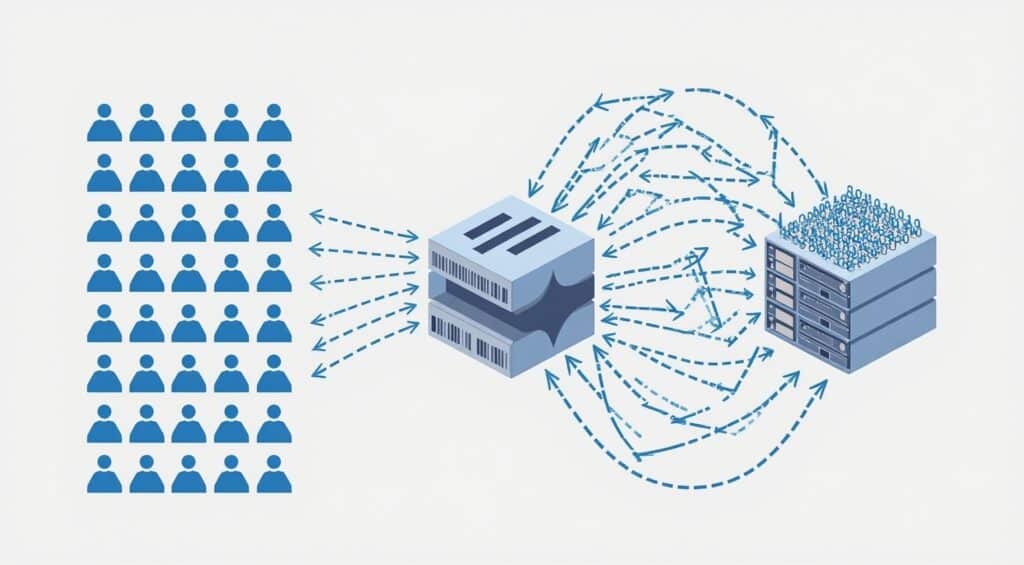
Common Signs of VDI Performance Problems
Organizations experiencing VDI performance degradation often report the same symptoms:
- Slow or inconsistent login times during peak usage
- “Boot storms” or “login storms” overwhelming the environment
- Virtual desktops that feel sluggish once users are logged in
- Performance that improves temporarily after reboots
- User complaints that increase as concurrency grows
- Pressure to add storage, memory, or hosts — even when utilization looks fine
These symptoms tend to appear gradually, making the problem harder to diagnose and easier to misattribute.
Why Storage Gets Blamed — Even When It Isn’t the Root Cause
When VDI performance degrades under load, storage is usually the first suspect. Latency increases, queues grow, and response times stretch — especially during login storms or shift changes.
But in many environments, storage hardware isn’t failing or undersized. Instead, it’s being overwhelmed by inefficient I/O patterns generated by Windows across dozens or hundreds of virtual desktops running concurrently.
Small, fragmented, competing I/O requests — multiplied across many VMs — can saturate even fast storage. Traditional monitoring tools may show “acceptable” averages while masking bursts of inefficient activity that users feel immediately.
For more detail on diagnosing performance issues in virtual environments, see Microsoft’s performance diagnostics guidance for Windows VMs:
Learn more → https://learn.microsoft.com/en-us/azure/azure-monitor/vm/performance-diagnostics?tabs=windows
The result is a familiar cycle:
- Users complain
- Storage is blamed
- Hardware is upgraded
- Performance improves briefly
- The problem returns as usage grows
The Hidden Role of Windows I/O in VDI Performance
VDI environments amplify how Windows handles I/O.
Each virtual desktop generates its own stream of reads and writes. When many desktops are active at once — logging in, launching applications, accessing profiles, or running background tasks — those I/O patterns collide.
Windows often breaks data into smaller operations than necessary, generating excessive I/O traffic. Under concurrency, this creates:
- Increased latency
- Higher queue depth
- Reduced throughput
- Inconsistent desktop responsiveness
Because Windows operates at the logical disk level, it has no awareness of the underlying storage architecture — whether that’s SAN, hyperconverged infrastructure, NVMe, or cloud storage. The inefficiency happens before I/O ever reaches the storage layer.
Why Adding Hardware Doesn’t Always Fix VDI Performance
Upgrading storage tiers or adding hosts can temporarily mask the problem, but it rarely resolves the underlying inefficiency.
In many VDI environments:
- Storage is already fast enough
- Hosts have available CPU and memory
- Bottlenecks appear only under concurrency
Without addressing how I/O is generated and processed, additional hardware often provides only temporary relief — at significant cost.
Reducing VDI I/O Pressure Without Replacing Hardware
Rather than reacting to performance issues by adding infrastructure, many organizations focus on reducing unnecessary I/O before it reaches storage.
By optimizing how Windows generates read and write operations — consolidating inefficient I/O patterns and intelligently caching frequently accessed data — VDI performance improves across the environment without reconfiguration, downtime, or hardware changes.
This approach is particularly effective for:
- Login storms
- Boot storms
- Profile and application load spikes
- High-density VDI environments
👉 Learn how DymaxIO reduces unnecessary I/O inside Windows to improve VDI performance under load.
What Improved VDI Performance Looks Like
Organizations that address I/O inefficiency in VDI environments commonly see:
- Faster, more consistent logins
- Smoother desktop responsiveness under load
- Reduced storage pressure during peak usage
- Higher VDI density without sacrificing user experience
- Less pressure to overprovision hardware
Most importantly, user complaints decrease — even as usage grows.
See How Much I/O Your System Is Wasting
Run the free 30-day DymaxIO trial and see how much unnecessary I/O your system can eliminate — with true “Set It and Forget It®” ease.
• No reboot required
• No credit card required
• Works on physical, virtual, and cloud servers